Tabster Help Center
Splitting appetizers or other shareables
To split one item on a bill between several people, swipe the item left and tap the number selector to select your share.
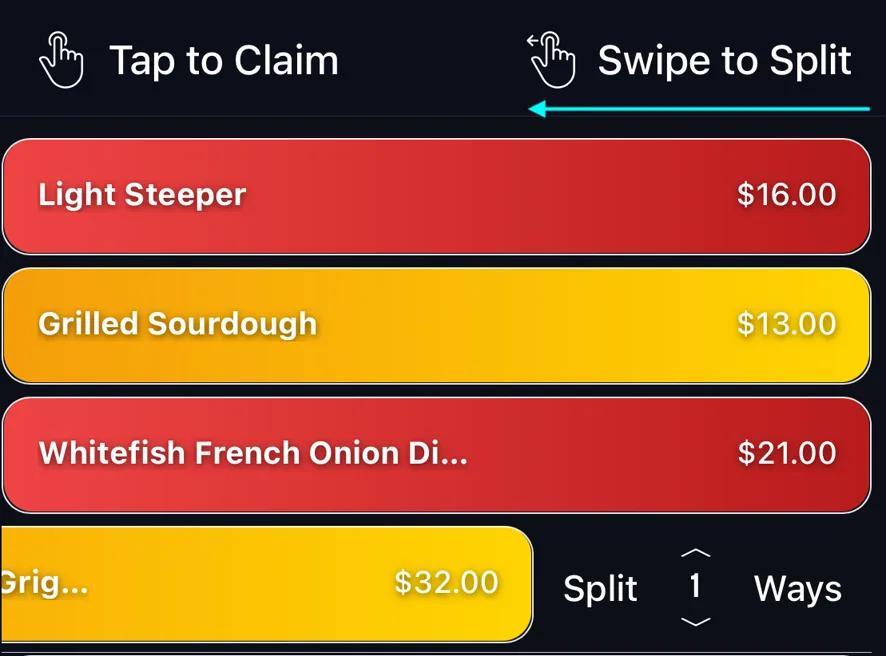
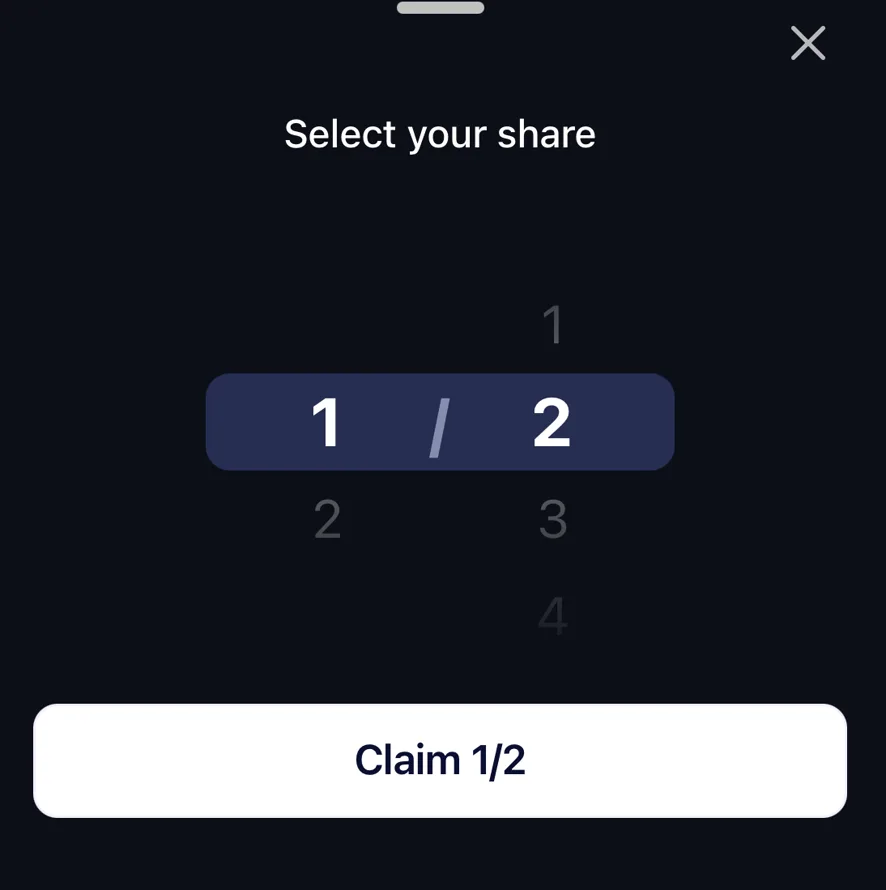
The number you pick is your share of that one item, not how many people are splitting it. Choose 1/3 of the calamari and a third of its price comes to you, whoever else claims the rest.
Each person splitting the item does this on their own phone, so nobody has to agree a number up front. Four people claiming a quarter each is four separate taps that happen to add up.
Shares do not have to be equal. Two people can take a third each and two other people can take a sixth each. For ultimate flexibility.
Tax and tip follow the fraction you claimed, so half a starter carries half that starter’s share of the fees. See splitting tax and tip on a shared bill.
Need more help?
We're here for you. Email us at support@tabster.ai and we'll get back to you as soon as possible.


