Tabster Help Center
Everyone adds their receipts
Anyone on the trip can add to it. Open the trip, click Add receipts, and upload a photo, paste a link, or enter the cost manually.
Bulk upload takes several photos at once, which is the quickest way to clear a backlog of receipts that piled up over a few days.
Trips also have their own Tabster email address. Forward confirmations straight to it and they get added for you, which is the easiest way to handle hotels, flights and rentals that only ever arrive by email. You can also just screenshot emailed invoices or costs listed in an email, and upload the screenshot as a photo to add the expense.
Anything with no receipt goes in as a plain amount: a taxi, a tip, a round bought at the bar. It splits like everything else, the same way group expenses work for household costs.
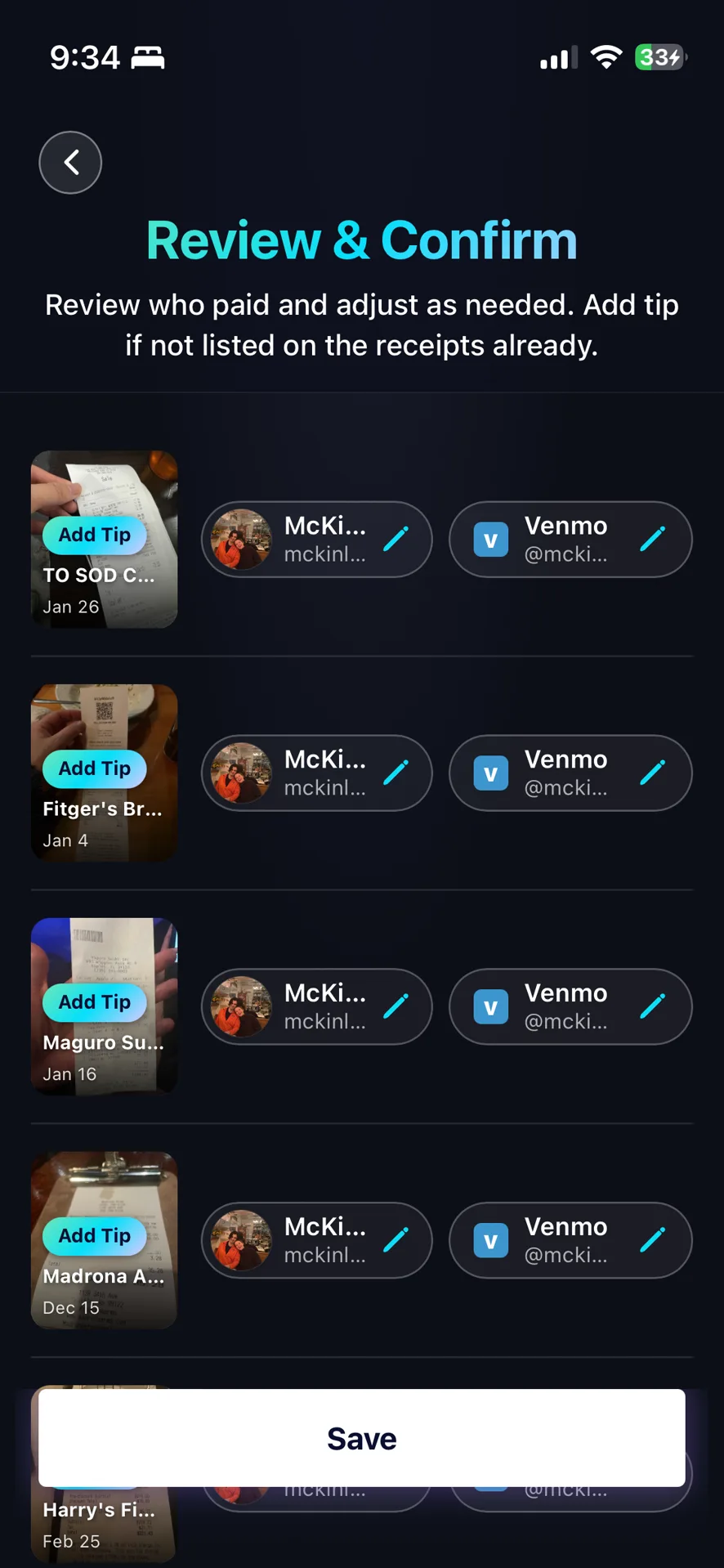
Each upload gets a quick Review and Confirm step where you check who paid and add tip if it was not on the receipt. Getting the payer right matters more than anything else on that screen, because that is who the rest of the trip pays back. Although you can always edit the receipt later to update the payer.
Need more help?
We're here for you. Email us at support@tabster.ai and we'll get back to you as soon as possible.


