Tabster Help Center
Sharing your receipt with friends to select their items
You can split a bill with anyone, whether or not they use Tabster: friends you add in the app, or anyone you send a link or QR code to.
What they see when they open it is covered in opening a bill someone shared with you. To add people permanently rather than per receipt, see adding friends on Tabster.
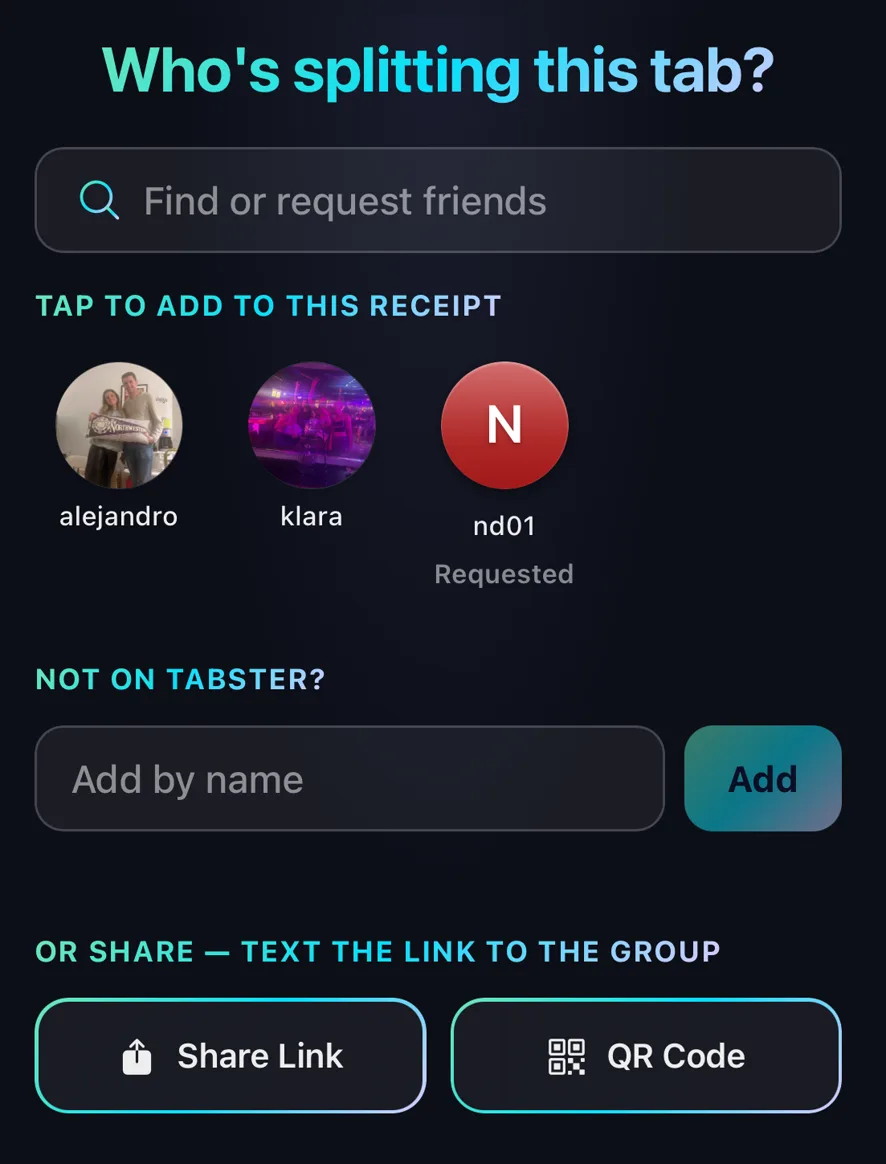
Options to share Tabster receipts
Add Tabster friends to the receipt.
Add other users which automatically sends a friend request. Once they accept, they will receive the tab.
Share via link, sending in a text or group text.
Share via QR code, having everyone scan at the table.
Add names of non-Tabster users if you want to select items and request on behalf of friends who don’t have Tabster accounts.
Need more help?
We're here for you. Email us at support@tabster.ai and we'll get back to you as soon as possible.


